Article
Conjure实战:对接高德导航 API(驾车导航)
本文介绍如何结合高德地图 API 与 Conjure,快速搭建一个支持路径导航的地图。
这里使用高德的驾车导航 https://lbs.amap.com/api/webservice/guide/api/direction#t6 。然后使用leaflet在地图上显示导航路径。
# 导航的 Conjure API
先让AI来筛两遍:首先把文档给到AI,让它提取参数和接口。
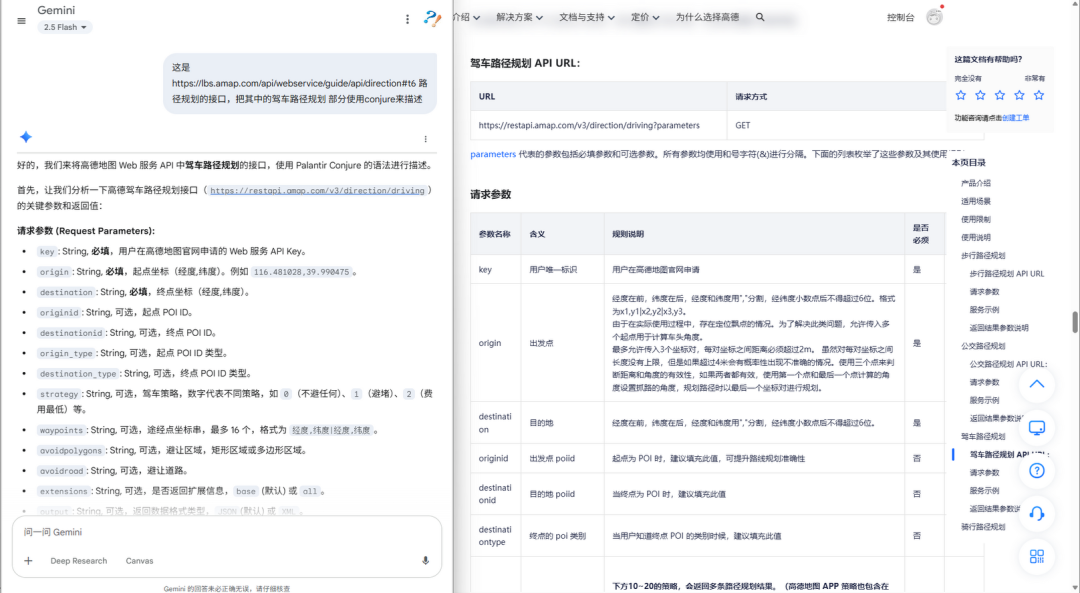
用AI读取文档提取参数
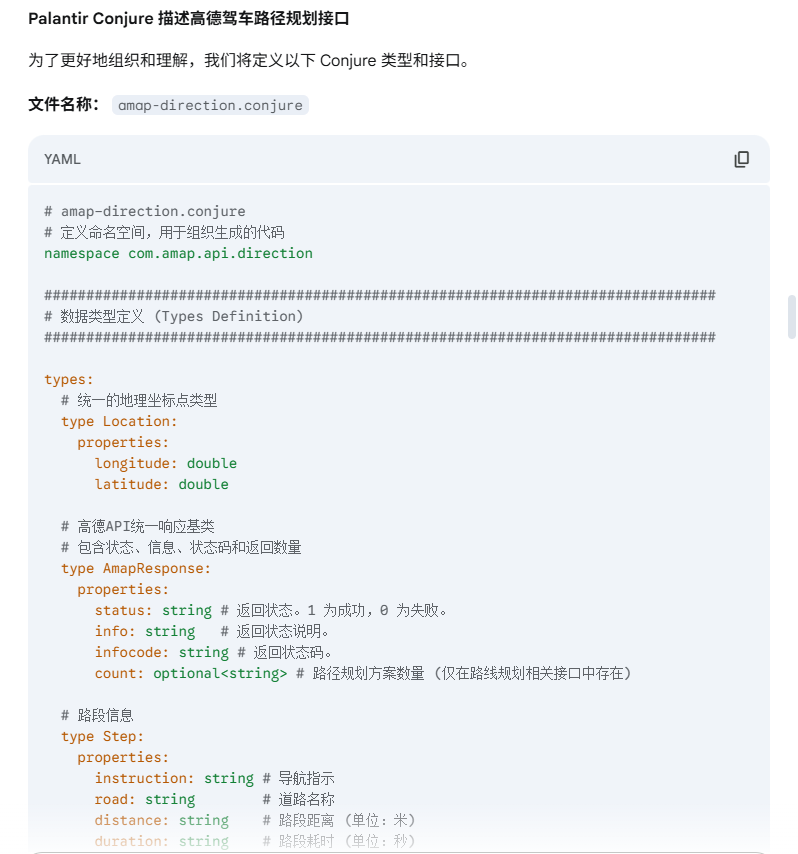
AI整理后的yml
然后给一个实际的配置,让它学习后,把上面的配置转成模版的格式。Prompt: 学习hello.yml的定义方式,把amap-direction.yml按照hello.yml的格式去修正
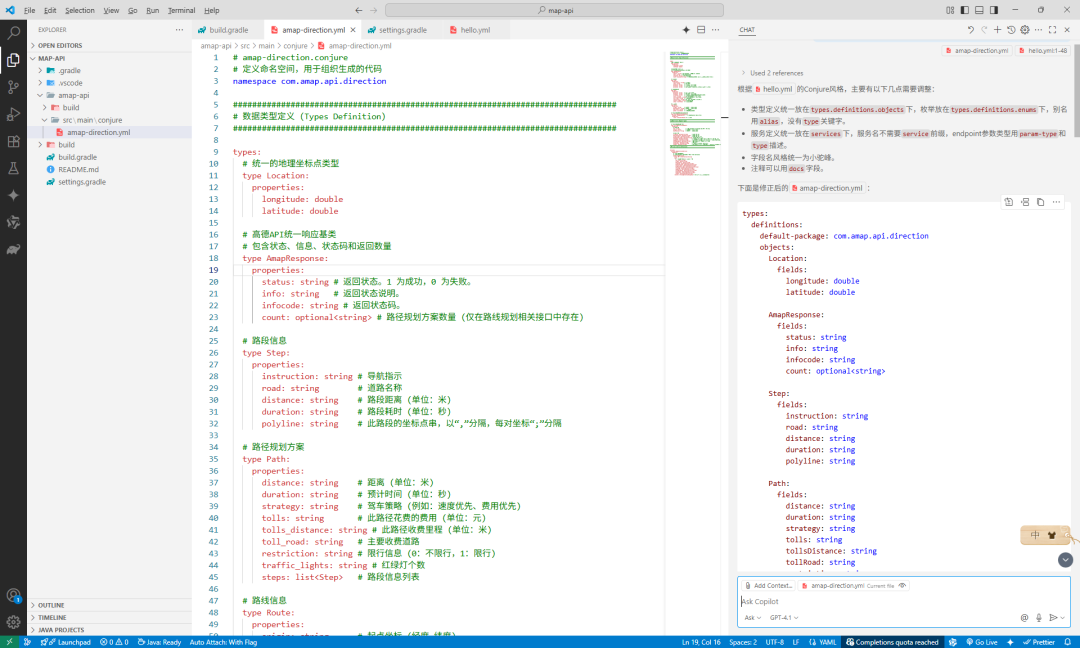
对照学习后,AI生成的配置已经基本可用了
最后,人工对照修订一下,就有了下面的 高德驾车导航Conjure API 配置文件:
types:
  definitions:
    default-package: com.amap.api.direction
    objects:
      DrivingDirectionResponse:
        fields:
          status: string
          info: string
          count: optional<string>
          route: Route

      Route:
        fields:
          origin: string
          destination: string
          taxi_cost: string
          paths: list<Path>

      Path:
        fields:
          path: string
          distance: string
          duration: string
          strategy: string
          tolls: string
          restriction: string
          traffic_lights: string
          tolls_distance: string
          steps: list<Step>

      Step:
        fields:
          instruction: string
          orientation: string
          road: string
          distance: string
          tolls: string
          toll_distance: string
          toll_road: string
          polyline: string
          action: string
          assistant_action: string
          tmcs: list<Tmcs>
          cities: list<Cities>

      Tmcs:
        fields:
          distance: string
          status: string
          polyline: string

      Cities:
        fields:
          name: string
          citycode: string
          adcode: string
          districts: list<Districts>

      Districts:
        fields:
          name: string
          adcode: string

services:
AmapDirectionService:
    name: AmapDirection
    package: com.amap.api.direction
    base-path: /v3/direction
    docs:|
      APIs for Amap driving direction

    endpoints:
      driving:
        http: GET/driving
        args:
          key:
            param-type: query
            type: string
          origin:
            param-type: query
            type: string
          destination:
            param-type: query
            type: string
          originid:
            param-type: query
            type: optional<string>
          destinationid:
            param-type: query
            type: optional<string>
          destinationtype:
            param-type: query
            type: optional<string>
          strategy:
            param-type: query
            type: optional<string>
          waypoints:
            param-type: query
            type: optional<string>
          avoidpolygons:
            param-type: query
            type: optional<string>
          province:
            param-type: query
            type: optional<string>
          number:
            param-type: query
            type: optional<string>
          cartype:
            param-type: query
            type: optional<integer>
          ferry:
            param-type: query
            type: optional<integer>
          roadaggregation:
            param-type: query
            type: optional<string>
          nosteps:
            param-type: query
            type: optional<string>
          sig:
            param-type: query
            type: optional<string>
          output:
            param-type: query
            type: optional<string>
            docs: "可选值:JSON,XML"
          callback:
            param-type: query
            type: optional<string>
          extensions:
            param-type: query
            type: string
            docs: "base:返回基本信息;all:返回全部信息"
        returns: DrivingDirectionResponse
# 导航工程搭建
先用AI生成工程。Prompt:创建一个map-api的gradle工程,下面包括amap-api的子工程,在amap-api下面创建文件src/main/conjure/amap-direction.yml。gradle配置保持最简单,只配置必须的配置。
然后配置gradle:
settings.gradle
include ':amap-api'
include ':amap-api:amap-api-objects'
include ':amap-api:amap-api-typescript'
build.gradle
buildscript {
    repositories {
        mavenCentral()
    }

    dependencies {
        classpath'com.palantir.gradle.conjure:gradle-conjure:5.10.0'
    }
}

allprojects {
    repositories {
        mavenCentral()
    }
}

apply plugin: 'com.palantir.conjure'

// 需要定义在rootProject, 指定依赖的版本号
configurations {
    conjureCompiler
    conjureJava
    conjureTypeScript
}
dependencies {
    conjureCompiler 'com.palantir.conjure:conjure:4.16.1'
    conjureJava 'com.palantir.conjure.java:conjure-java:6.5.0'
    conjureTypeScript 'com.palantir.conjure.typescript:conjure-typescript:5.4.0'
}

subprojects {
    apply plugin: 'java-library'
    apply plugin: 'com.palantir.conjure'

    sourceCompatibility = 11
    targetCompatibility = 11

    compileJava { options.encoding = "UTF-8" }

    conjure {
        typescript { version = "0.0.1" }

        java { useImmutableBytes = true }
    }

    dependencies {
        implementation "com.palantir.conjure.java:conjure-lib:6.5.0"
    }
}
使用 Conjure 生成 TypeScript 代码:
set PATH=D:\node-v20.13.1-win-x64;E:\local\gradle-8.13\bin;C:\Java\jdk-11.0.12\bin;%PATH%
gradle compileConjure
# 网页地图
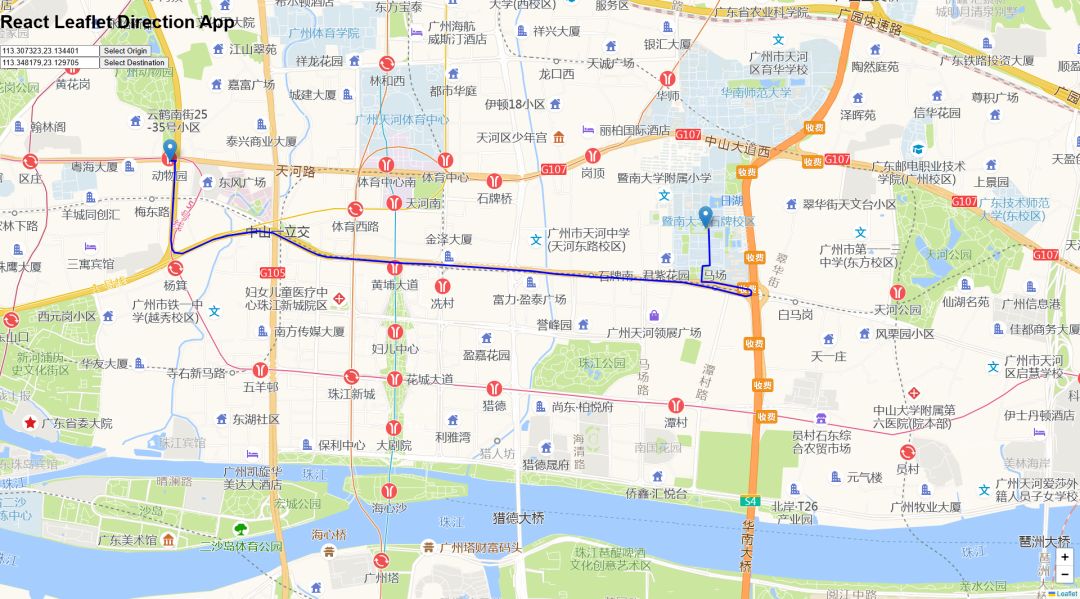
使用设想:首先在leaflet地图上选择两个点,然后请求高德导航接口,根据返回的数据把导航路径画出来。
还是先让AI给我们生成基础的工程。Prompt:创建一个地图web工程,使用react和leaflet来实现,用typescript语言编写。主界面左上角是两个输入框用于分别输入出发地和目的地,输入框右边有按钮实现地图选择地址的功能。查询服务后返回结果在输入框中显示结果,通过路线在leaflet中画出来。
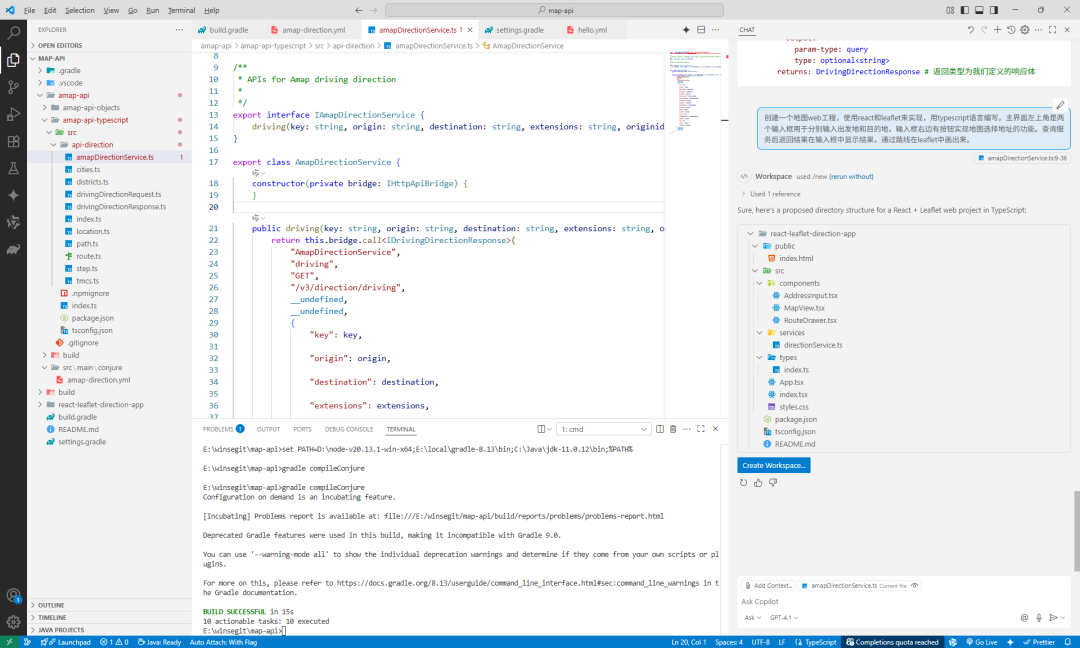
然后调整完善。地图交互代码已经准备好了,画点和路径的参数都已经预留了,只需绑定数据就可以把导航路径画出来了。
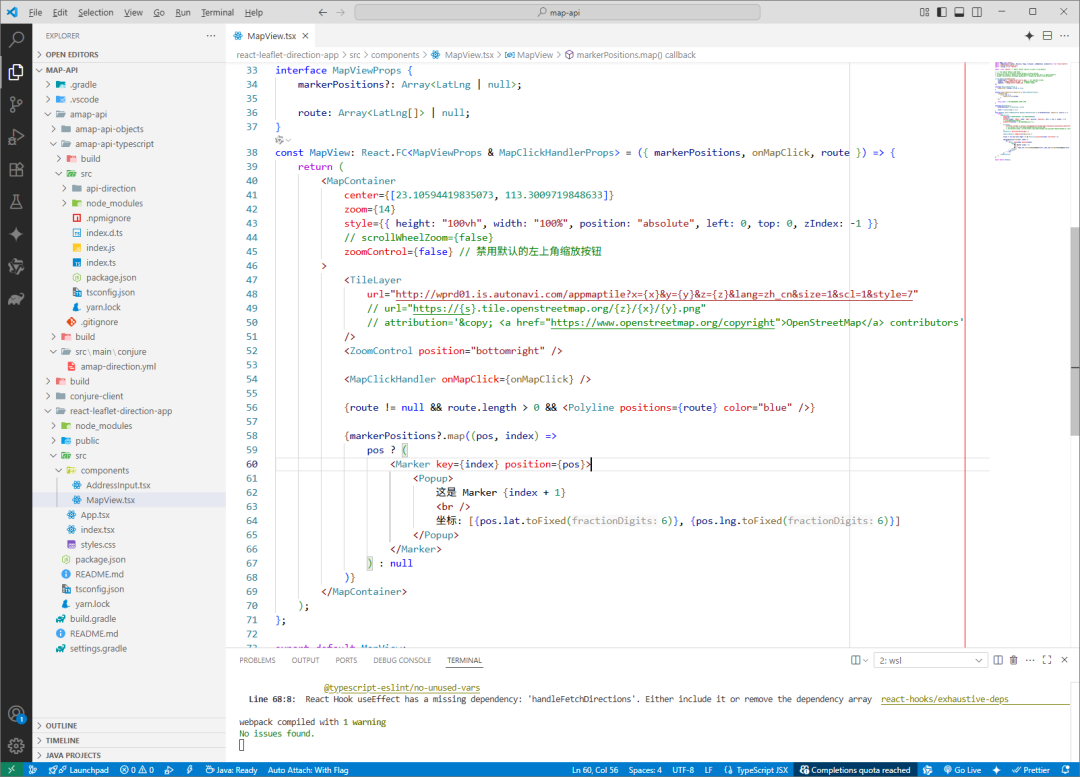
添加amap-api的依赖。conjure-client 这里需要修改一下header,同样使用本地链接的方式添加依赖:
"dependencies":{
    "conjure-client":"link:../conjure-client/",
    "amap-api":"link:../amap-api/amap-api-typescript/src/",
    "react":"^17.0.2",
    "react-dom":"^17.0.2",
    "react-scripts":"5.0.1",
    "leaflet":"^1.7.1",
    "react-leaflet":"^3.2.1",
    "typescript":"^4.1.2"
},
"devDependencies":{
    "@types/react":"^17.0.0",
    "@types/react-dom":"^17.0.0",
    "@types/leaflet":"^1.7.1"
},
当起始点和终点变更时查询导航接口。
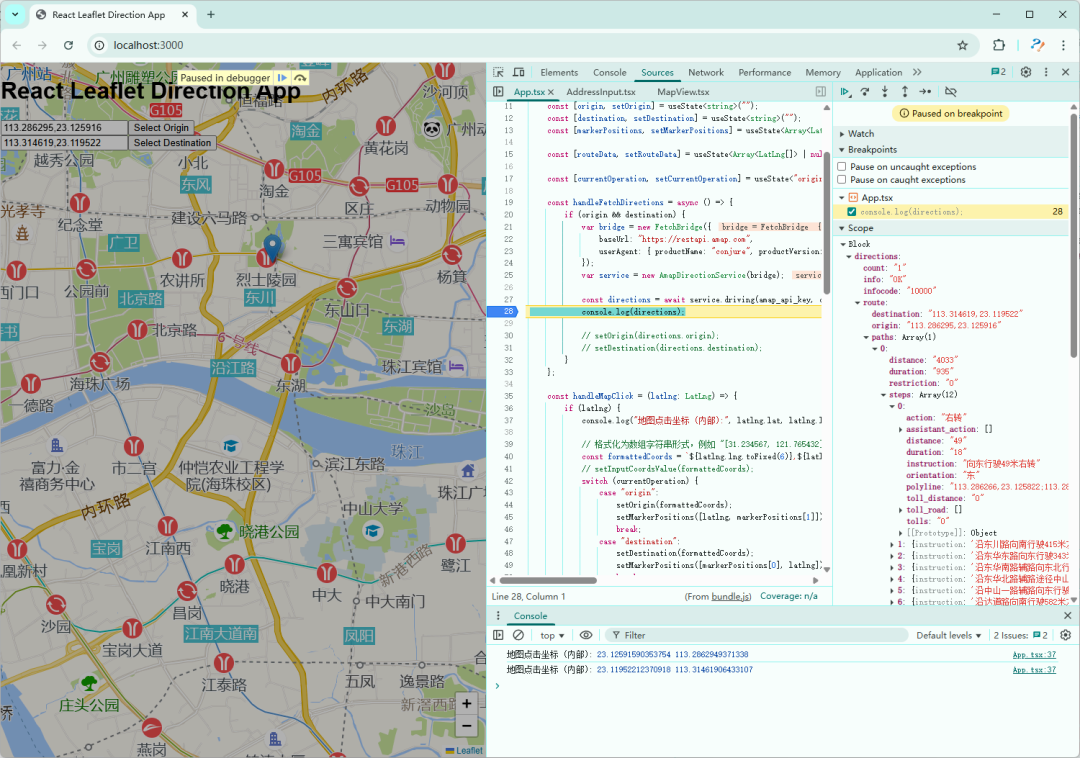
请求高德导航接口成功后,通过解析返回的 polyline 路径字段为LatLng对象。
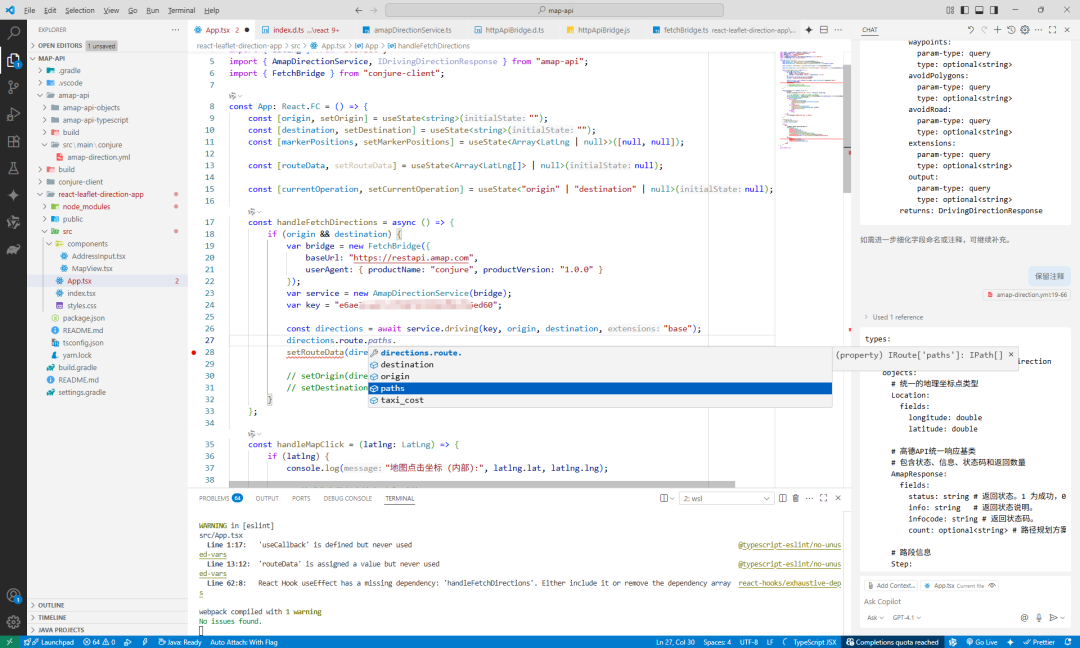
生成模型后,写代码的时刻就有提示了。
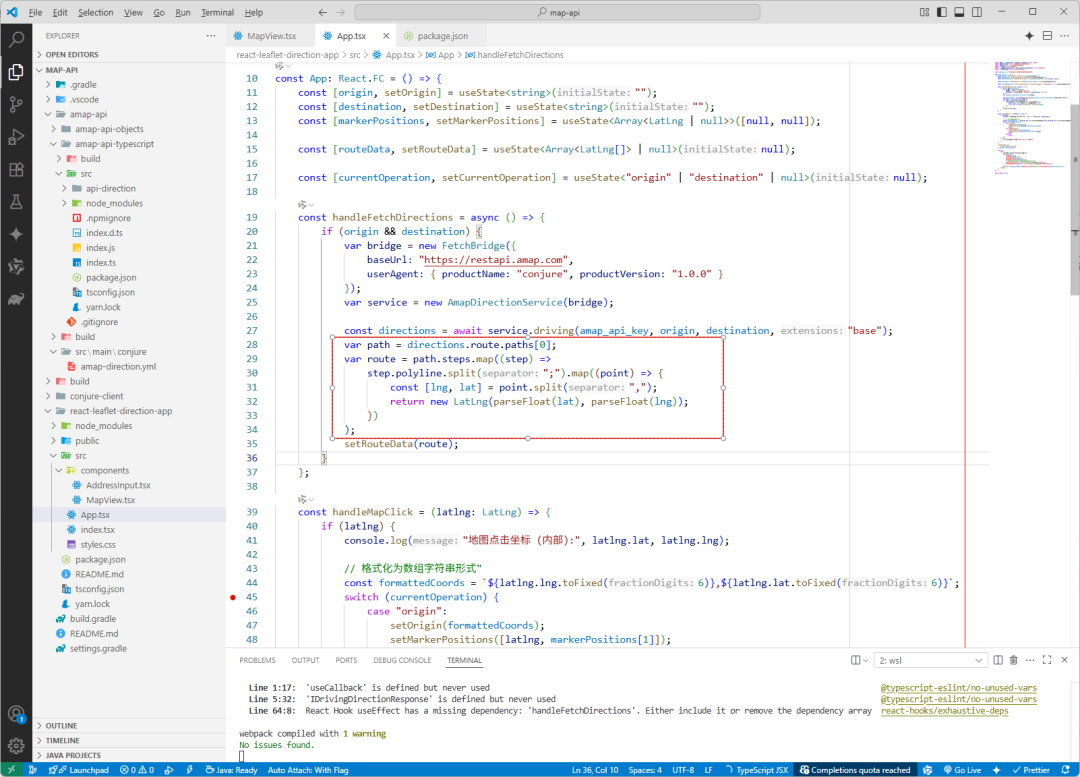
把解析的结果传给地图组件 MapView,实现路径绘制。最终效果:
# 反思
主要时间都花在leaflet上面了。写 Conjure API和对接方面的还是很快的。
如果需要用到接口中比较多的参数 时,用代码生成的方式来构建接口调用还是不错的选择的。编写调用接口的代码时,有代码的提示,还可以做一些辅助工作让接口使用更方便。一整套的方法积累完善后,未来其他接口可以方便的复用。
:
Related
Related posts
-
conjure-dart 更新:别名类型 alias 代码生成实现
2025-11-16
-
MVC 常用常新,温故知新:纵你虐我千百遍 我仍待你如初见
2025-09-10
-
Conjure实战:从零搭建前后端分离的RPC服务
2025-07-21
-
Conjure使用指南:告别接口API对接烦恼,拥抱高效开发
2025-07-20