Article
从摆地摊的素描像到AI来创作:Nano Banana帮你快速生成素描头像
最近火到爆的模型要算是画图模型 Google 的 Nano Banana ,网上的例子都很震撼,但感觉不怎么接地气,我觉得用它来生成手绘素描像,简直不要太完美。
记得小时候,在人来人往的热闹的街角,除了摆地摊算命的,最常见的就是摆地摊给路人画素描像的。简单的线条和阴影,竟能把一个人描绘的活灵活现栩栩如生,比拍的照片更有烟火气。
只要简单几步,AI 就能帮你把照片生成素描画,等待10来秒,效果丝毫不逊色于画家的手绘。
把原来的QQ头像老照片翻出来,测试了一下效果。现在 AI Studio 和 Gemini 网站 都可以直接用的。
Gemini
在 Gemini 的首页,点击 Tools 工具中的 Create images 菜单即可。
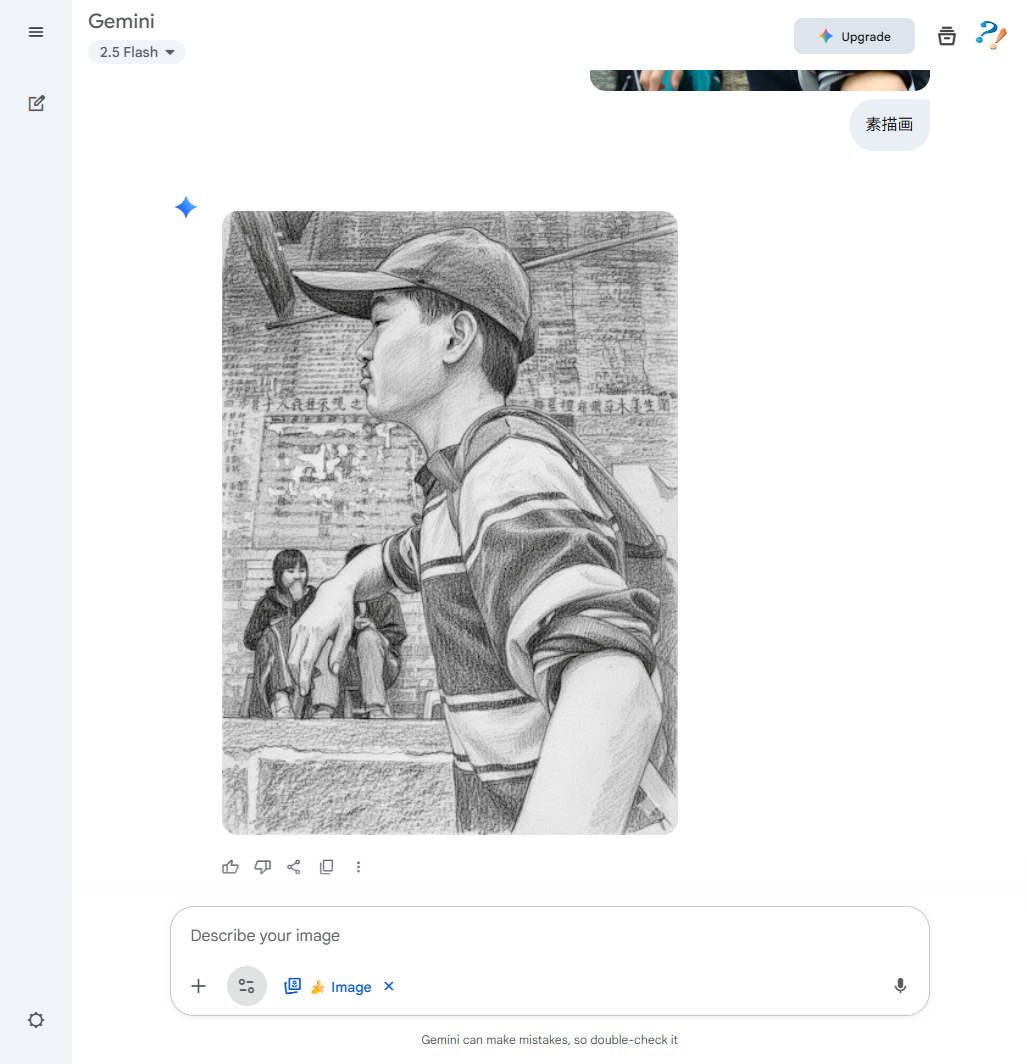
Google AI Studio
https://aistudio.google.com/prompts/new\_chat
AI Studio 可以调参数,对比来看效果更真实,柔和一些。
使用AI Studio 的话,在右边面板的 Run settings 中点击模型,选择 Nano Banana 模型。
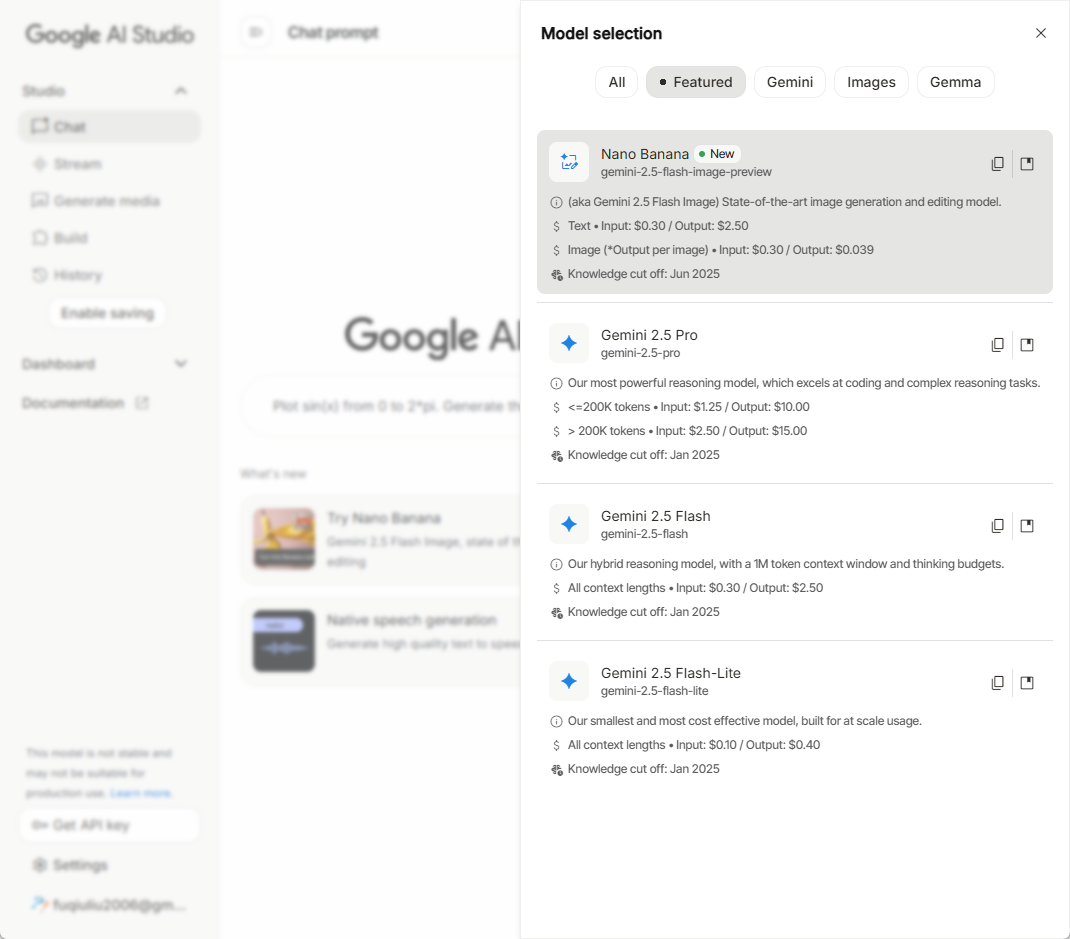
然后上传一张照片,让它参考图片画素描像。
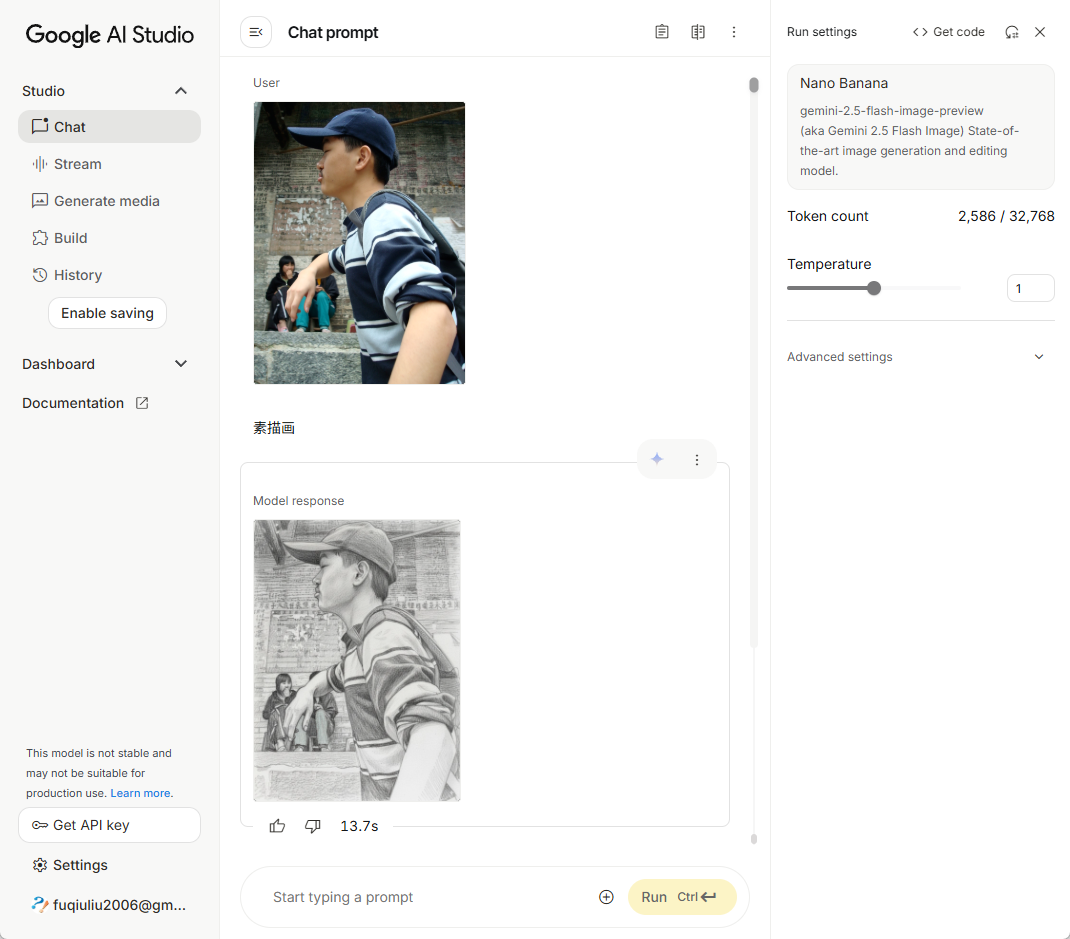
效果太逼真了,感觉就是一笔一笔的画出来的,线条的勾勒,阴影的效果等等。
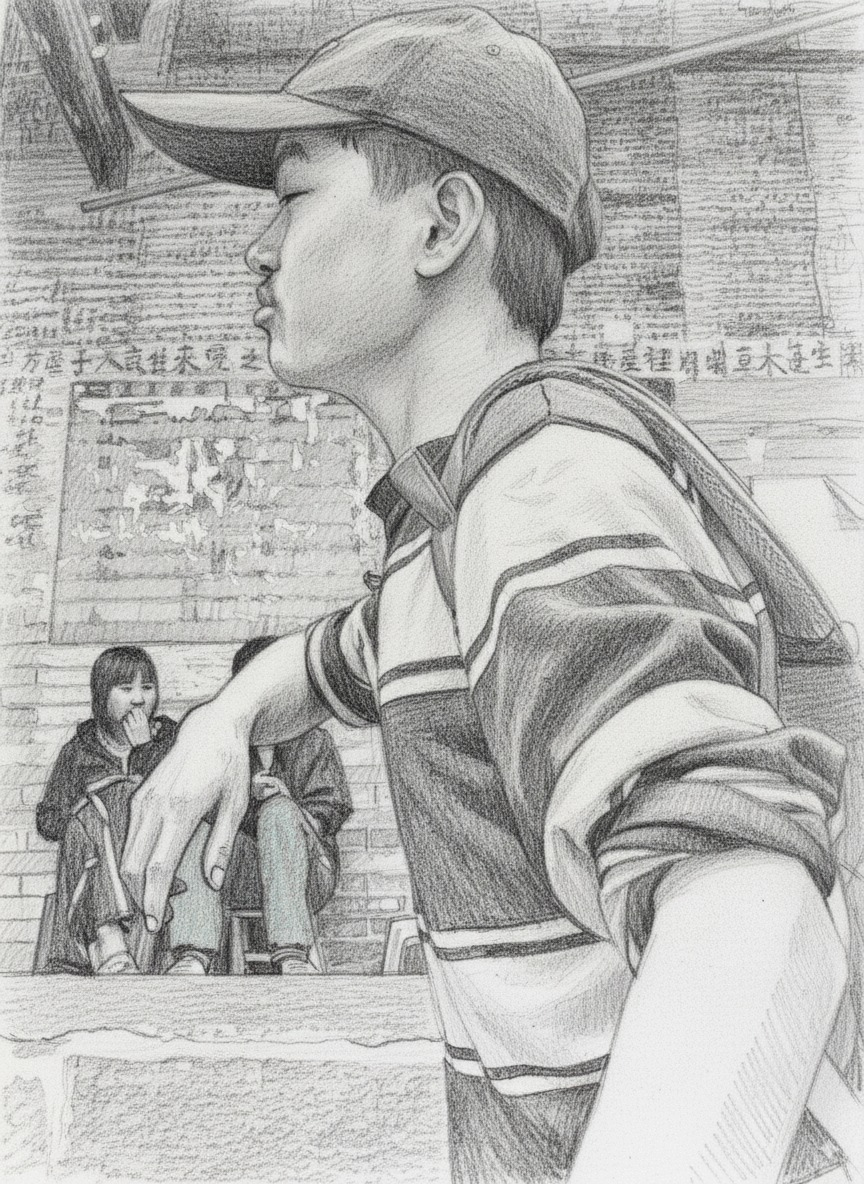
随着技术的发展,我们的生活变得更加丰富更加多彩,工作效率也越来越高。大模型迭代日新月异,像 Nano Banana 大模型,你只需上传一张照片,AI 就能帮你快速生成精美的素描画,效果丝毫不逊色于画家手绘。
你还在等什么?打开 Gemini 网站 或 AI Studio 去试试吧,让 AI 来创造专属于你的艺术作品吧!
下面是 Google Nano Banana 官网文档的翻译(包含很多的示例),一起来震撼一下吧。还有4篇技术博客,由于包含视频太多,单独整理成文。
使用 Gemini(又称 Nano Banana)生成图片
https://ai.google.dev/gemini-api/docs/image-generation?hl=zh-cn
Gemini 可以通过对话方式生成和处理图片。你可以通过文字、图片或两者结合的方式向 Gemini 发出提示,从而以前所未有的控制力来创建、修改和迭代视觉内容:
-
Text-to-Image: 根据简单或复杂的文本描述生成高质量图片。
-
图片 + Text-to-Image(编辑): 提供图片,并使用文本提示添加、移除或修改元素、更改风格或调整色彩分级。
-
多图到图(合成和风格迁移): 使用多张输入图片合成新场景,或将一张图片的风格迁移到另一张图片上。
-
迭代优化: 通过对话逐步优化图片,进行细微调整,直到达到理想效果。
-
高保真文本渲染: 准确生成包含清晰易读且位置合理的文本的图片,非常适合用于徽标、图表和海报。
所有生成的图片都包含 SynthID 水印。
图片生成(文本转图片)
Create a picture of a nano banana dish in a fancy restaurant with a Gemini theme
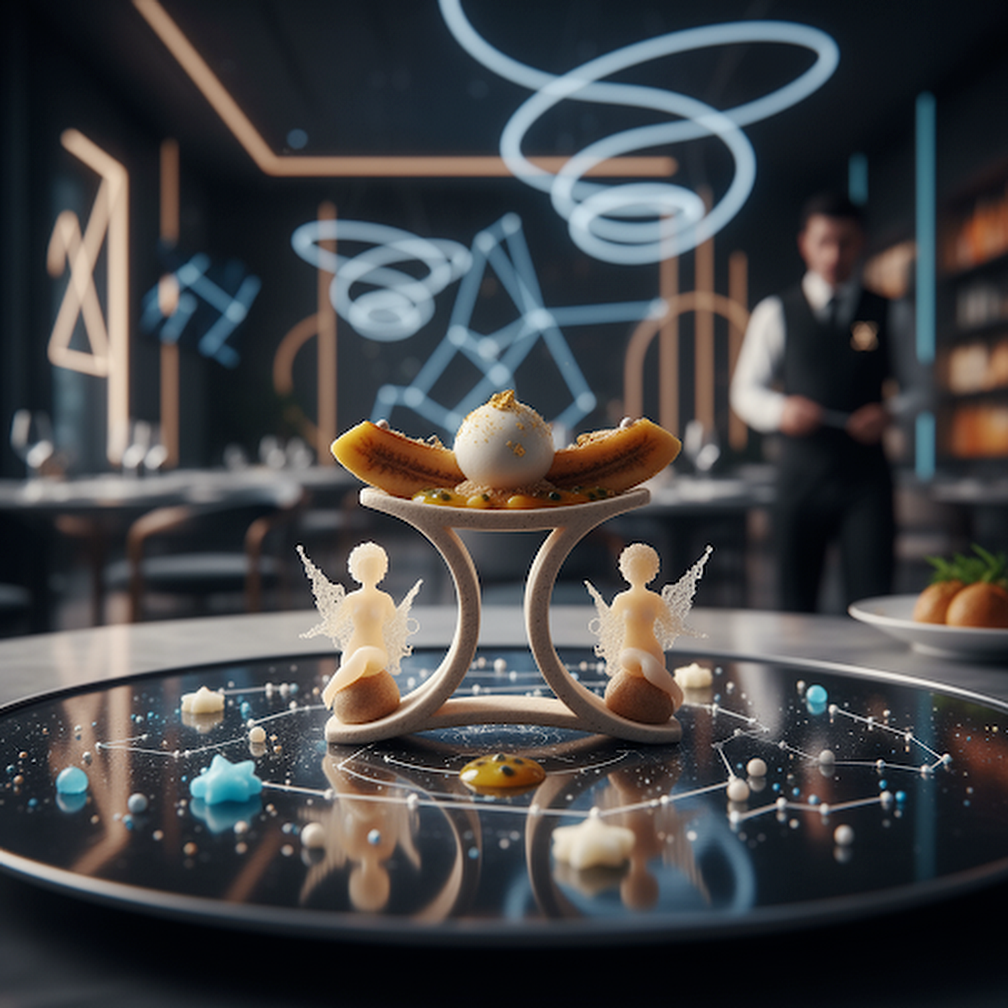
AI 生成的图片:一家以 Gemini 为主题的餐厅中的纳米香蕉菜肴
图片修改(文本和图片转图片)
Create a picture of my cat eating a nano-banana in a fancy restaurant under the Gemini constellation
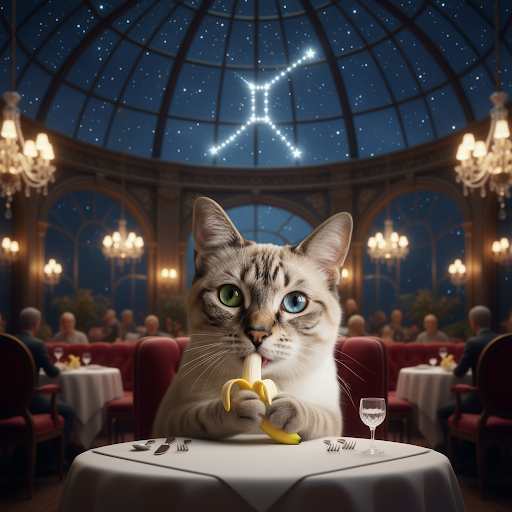
AI 生成的猫吃迷你香蕉的图片
其他图片生成模式
Gemini 还支持其他基于提示结构和上下文的图片互动模式,包括:
-
文生图和文本(交织): 输出包含相关文本的图片。
-
提示示例:“生成一份图文并茂的海鲜饭食谱。”
-
图片和文本转图片和文本(交织): 使用输入图片和文本创建新的相关图片和文本。
-
提示示例:(附带一张带家具的房间的照片)“我的空间还适合放置哪些颜色的沙发?你能更新一下图片吗?”
-
多轮图片修改(聊天): 以对话方式持续生成和修改图片。
-
提示示例:[上传一张蓝色汽车的图片。],“把这辆车变成敞篷车”,“现在将颜色更改为黄色。”
提示指南和策略
要掌握 Gemini 2.5 Flash 图片生成功能,首先要了解一个基本原则:
描述场景,而不仅仅是列出关键字。 该模型的核心优势在于其深厚的语言理解能力。与一连串不相关的字词相比,叙述性描述段落几乎总是能生成更好、更连贯的图片。
用于生成图片的提示词
以下策略将帮助您创建有效的提示,从而生成您想要的图片。
1. 逼真场景
对于逼真的图片,请使用摄影术语。提及拍摄角度、镜头类型、光线和细节,引导模型生成逼真的效果。
A photorealistic close-up portrait of an elderly Japanese ceramicist with deep, sun-etched wrinkles and a warm, knowing smile. He is carefully inspecting a freshly glazed tea bowl. The setting is his rustic, sun-drenched workshop. The scene is illuminated by soft, golden hour light streaming through a window, highlighting the fine texture of the clay. Captured with an 85mm portrait lens, resulting in a soft, blurred background (bokeh). The overall mood is serene and masterful. Vertical portrait orientation.
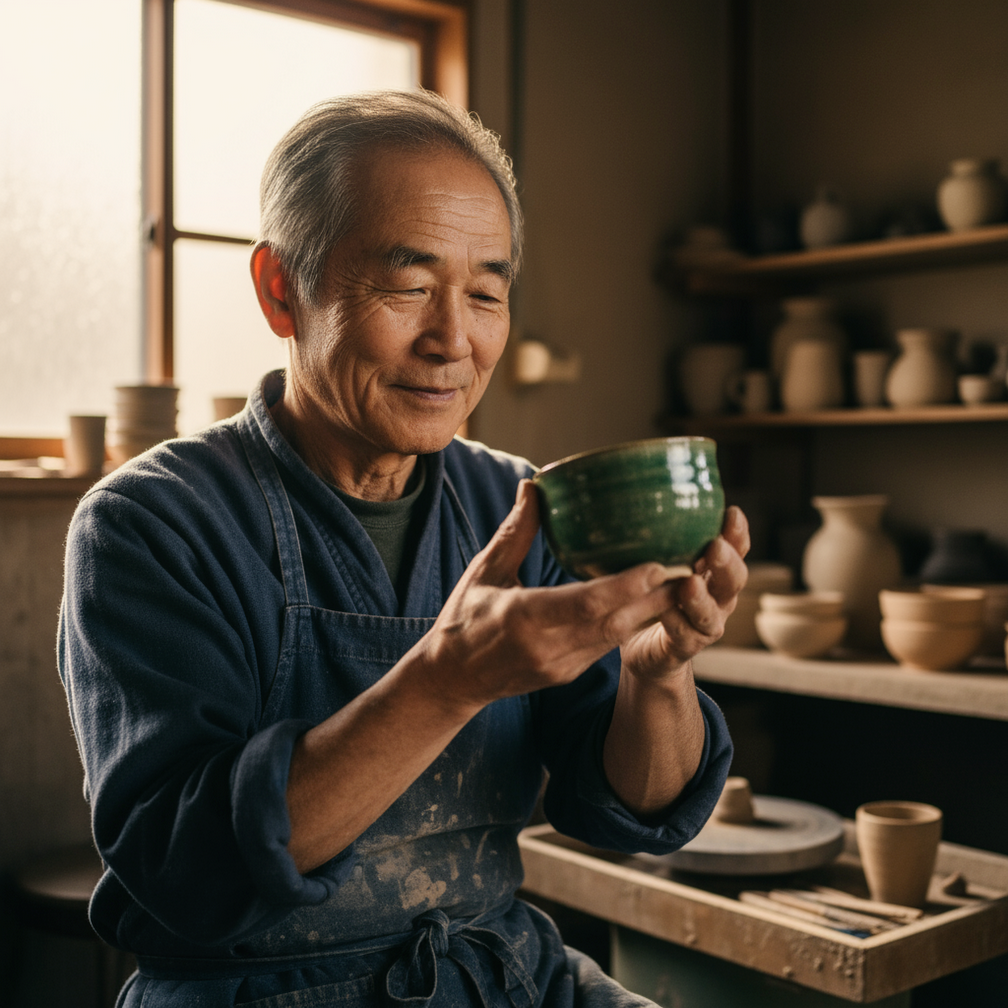
一位年长的陶艺家的照片级写实特写肖像…
2. 风格化插画和贴纸
如需创建贴纸、图标或素材资源,请明确说明样式并要求使用透明背景。
A kawaii-style sticker of a happy red panda wearing a tiny bamboo hat. It’s munching on a green bamboo leaf. The design features bold, clean outlines, simple cel-shading, and a vibrant color palette. The background must be white.

一张可爱风格的贴纸,上面是一只快乐的小熊猫…
3. 图片中的文字准确无误
Gemini 在渲染文本方面表现出色。清楚说明文字、字体样式(描述性)和整体设计。
Create a modern, minimalist logo for a coffee shop called ‘The Daily Grind’. The text should be in a clean, bold, sans-serif font. The design should feature a simple, stylized icon of a a coffee bean seamlessly integrated with the text. The color scheme is black and white.

为一家名为“The Daily Grind”的咖啡店设计一个现代简约的徽标…
4. 产品模型和商业摄影
非常适合为电子商务、广告或品牌宣传制作清晰专业的商品照片。
A high-resolution, studio-lit product photograph of a minimalist ceramic coffee mug in matte black, presented on a polished concrete surface. The lighting is a three-point softbox setup designed to create soft, diffused highlights and eliminate harsh shadows. The camera angle is a slightly elevated 45-degree shot to showcase its clean lines. Ultra-realistic, with sharp focus on the steam rising from the coffee. Square image.
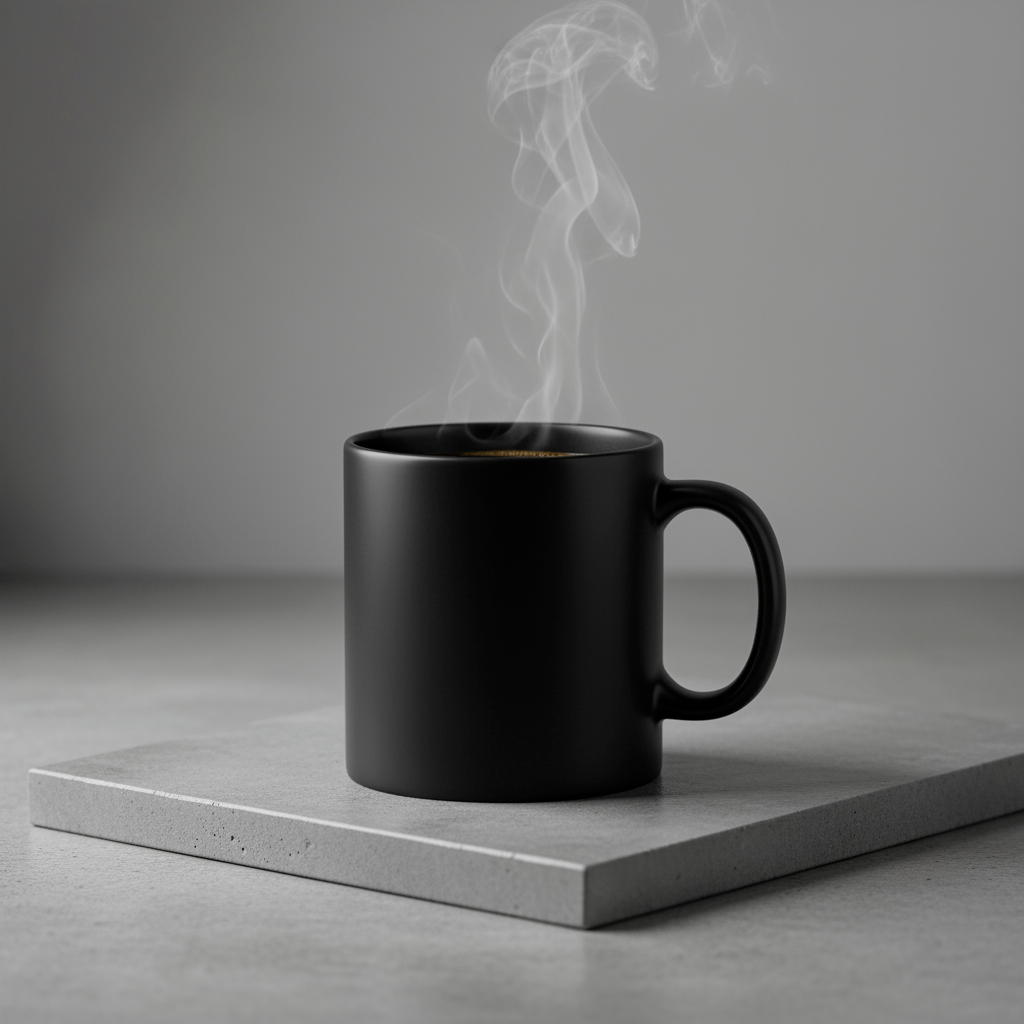
一张极简陶瓷咖啡杯的高分辨率产品照片,采用工作室灯光…
5. 极简风格和负空间设计
非常适合用于创建网站、演示或营销材料的背景,以便在其中叠加文字。
A minimalist composition featuring a single, delicate red maple leaf positioned in the bottom-right of the frame. The background is a vast, empty off-white canvas, creating significant negative space for text. Soft, diffused lighting from the top left. Square image.
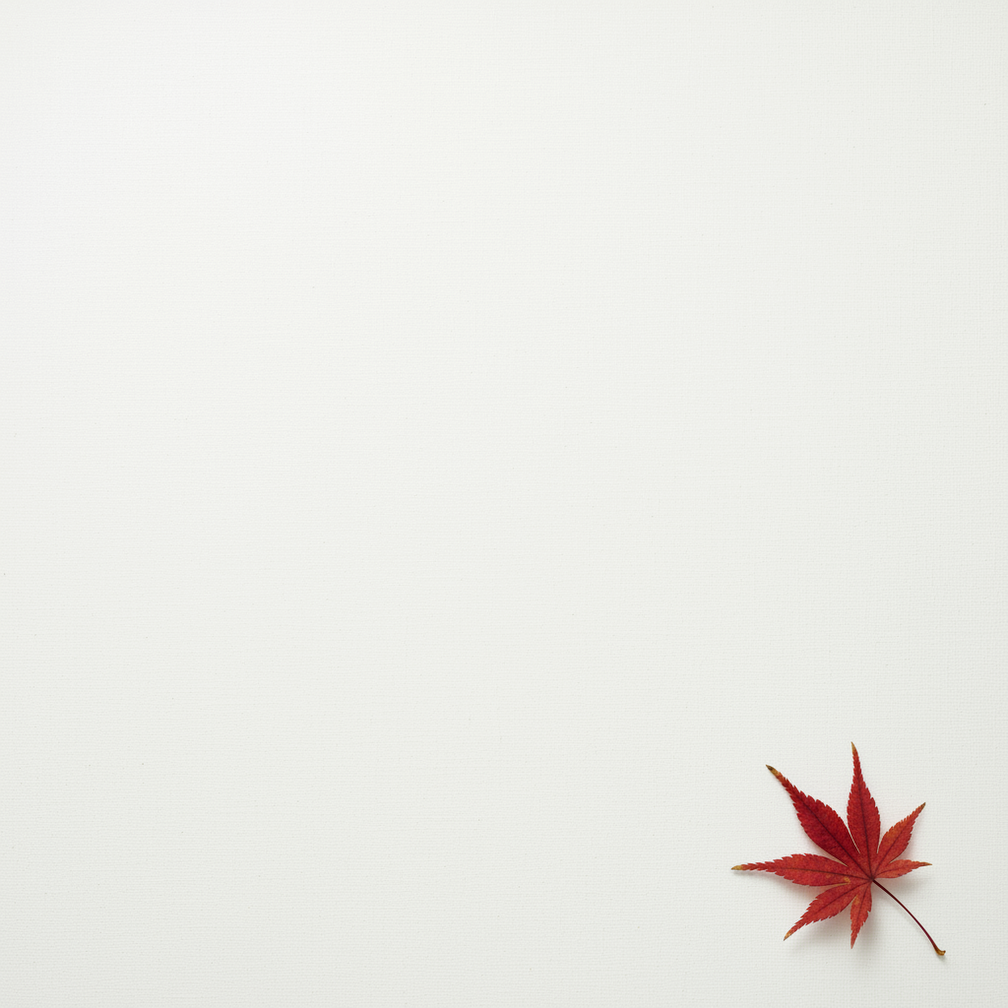
一幅极简主义构图,画面中只有一片精致的红枫叶…
6. 连续艺术(漫画分格 / 故事板)
以角色一致性和场景描述为基础,为视觉故事讲述创建分格。
A single comic book panel in a gritty, noir art style with high-contrast black and white inks. In the foreground, a detective in a trench coat stands under a flickering streetlamp, rain soaking his shoulders. In the background, the neon sign of a desolate bar reflects in a puddle. A caption box at the top reads “The city was a tough place to keep secrets.” The lighting is harsh, creating a dramatic, somber mood. Landscape.
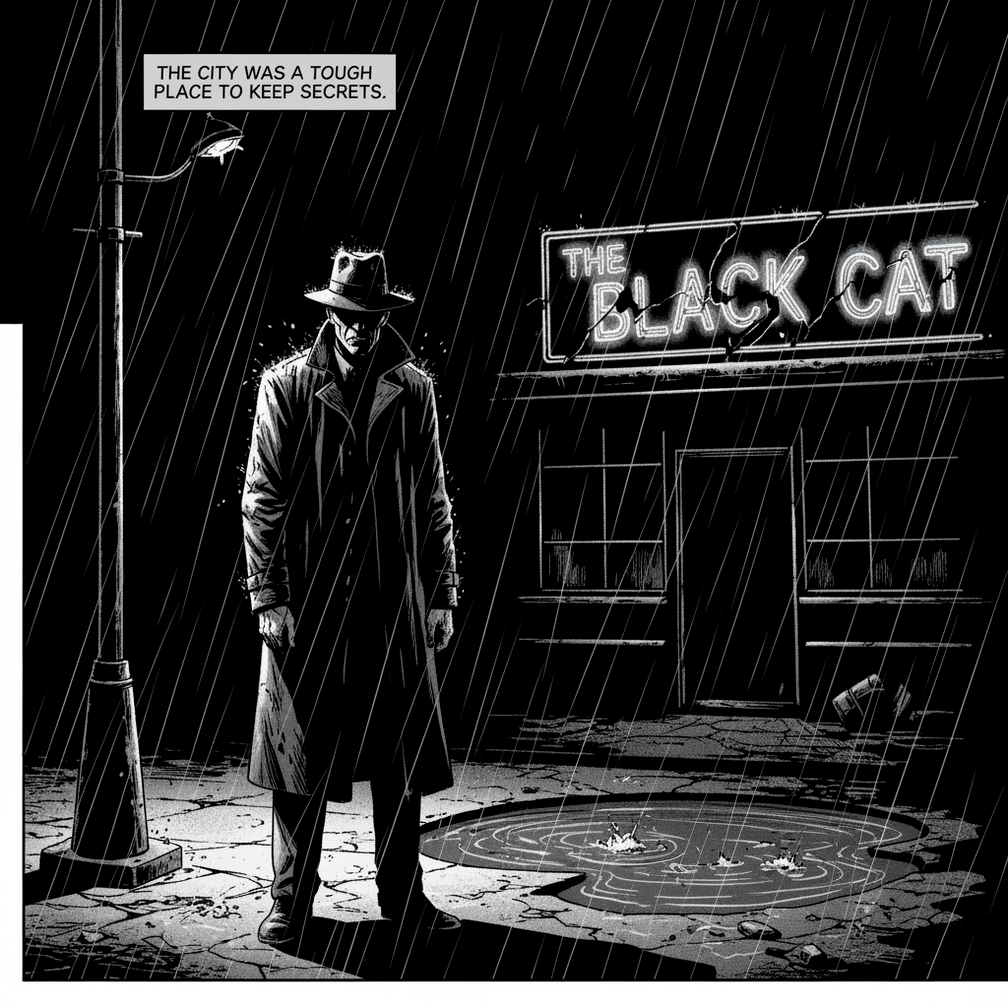
采用粗犷的黑色电影艺术风格的单幅漫画书画面…
用于修改图片的提示词
以下示例展示了如何提供图片以及文本提示,以进行编辑、构图和风格迁移。
1. 添加和移除元素
提供图片并描述您的更改。模型将与原始图片的风格、光照和透视效果相匹配。
Using the provided image of my cat, please add a small, knitted wizard hat on its head. Make it look like it’s sitting comfortably and matches the soft lighting of the photo.
输入:
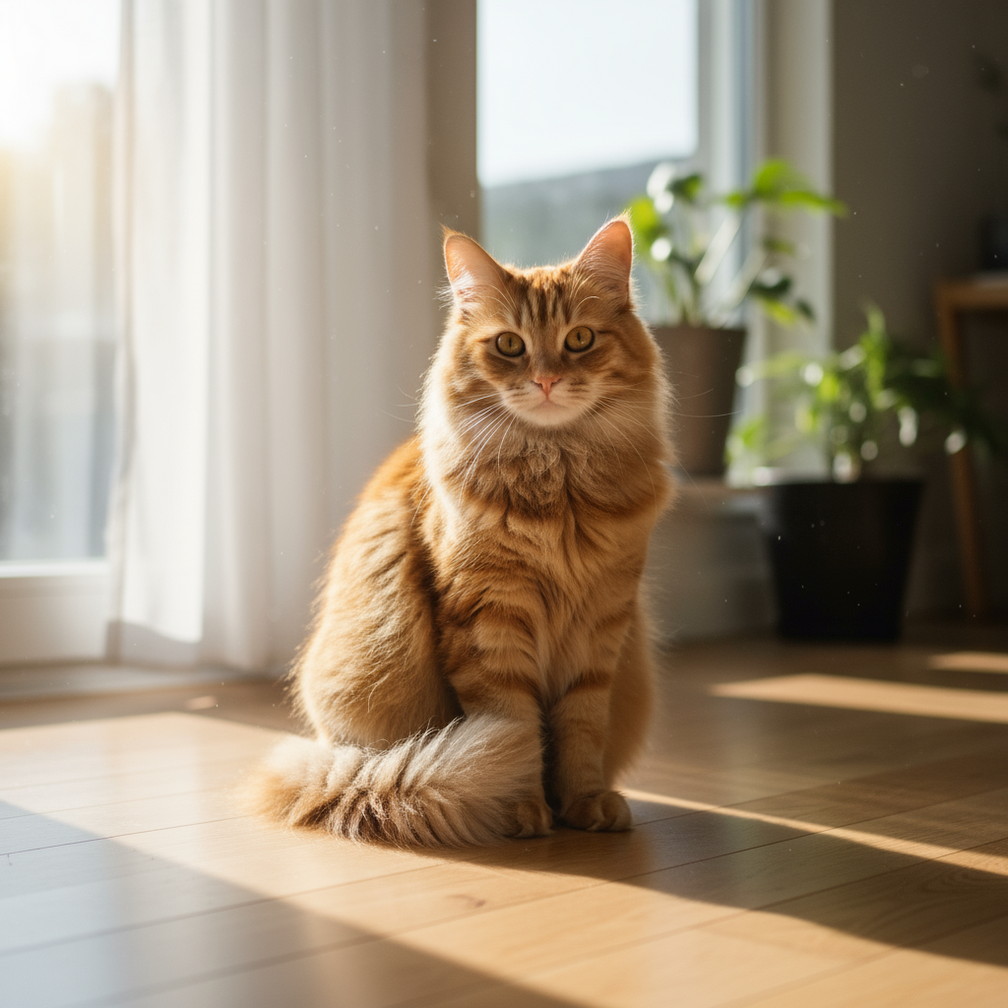
一张逼真的图片,内容是一只毛绒绒的姜黄色猫…
输出:

Using the provided image of my cat, please add a small, knitted wizard hat…
2. 局部重绘(语义遮盖)
通过对话定义“蒙版”,以修改图片的特定部分,同时保持其余部分不变。
Using the provided image of a living room, change only the blue sofa to be a vintage, brown leather chesterfield sofa. Keep the rest of the room, including the pillows on the sofa and the lighting, unchanged.
输入:
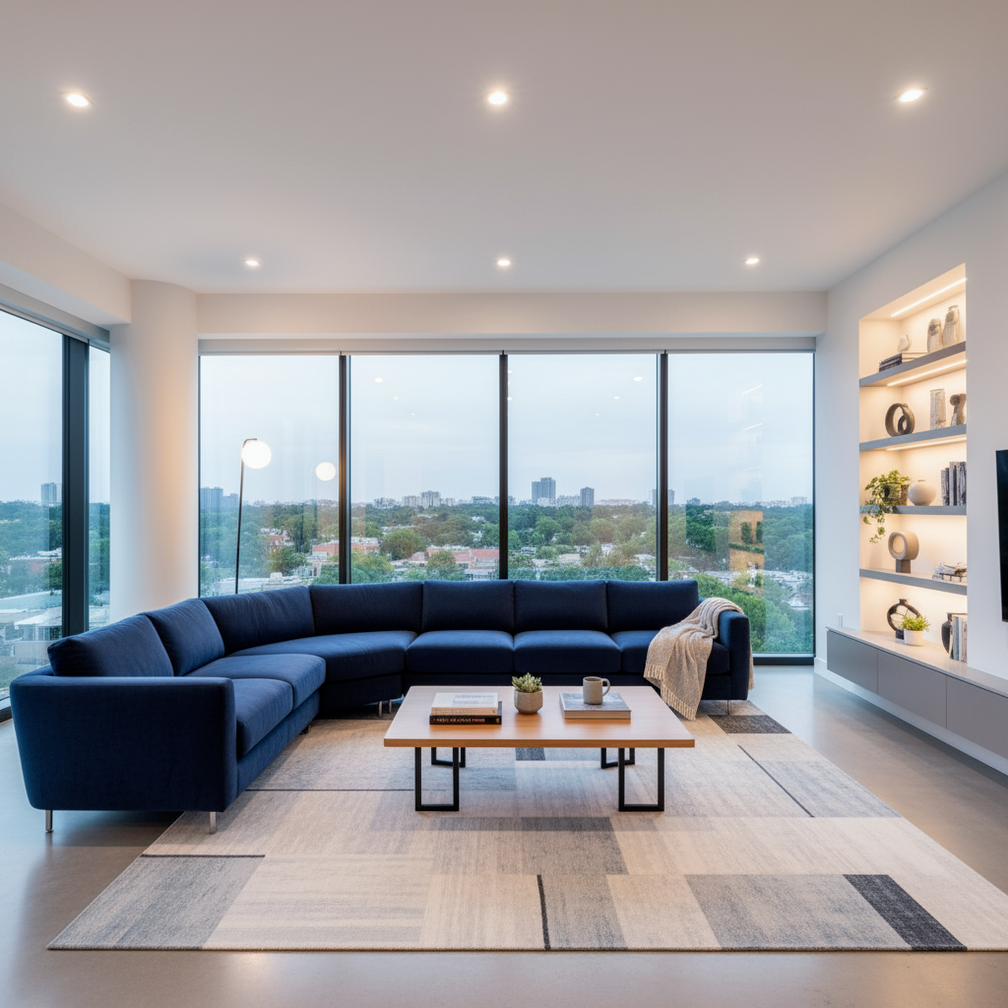
一间光线充足的现代客厅的广角镜头…
输出:
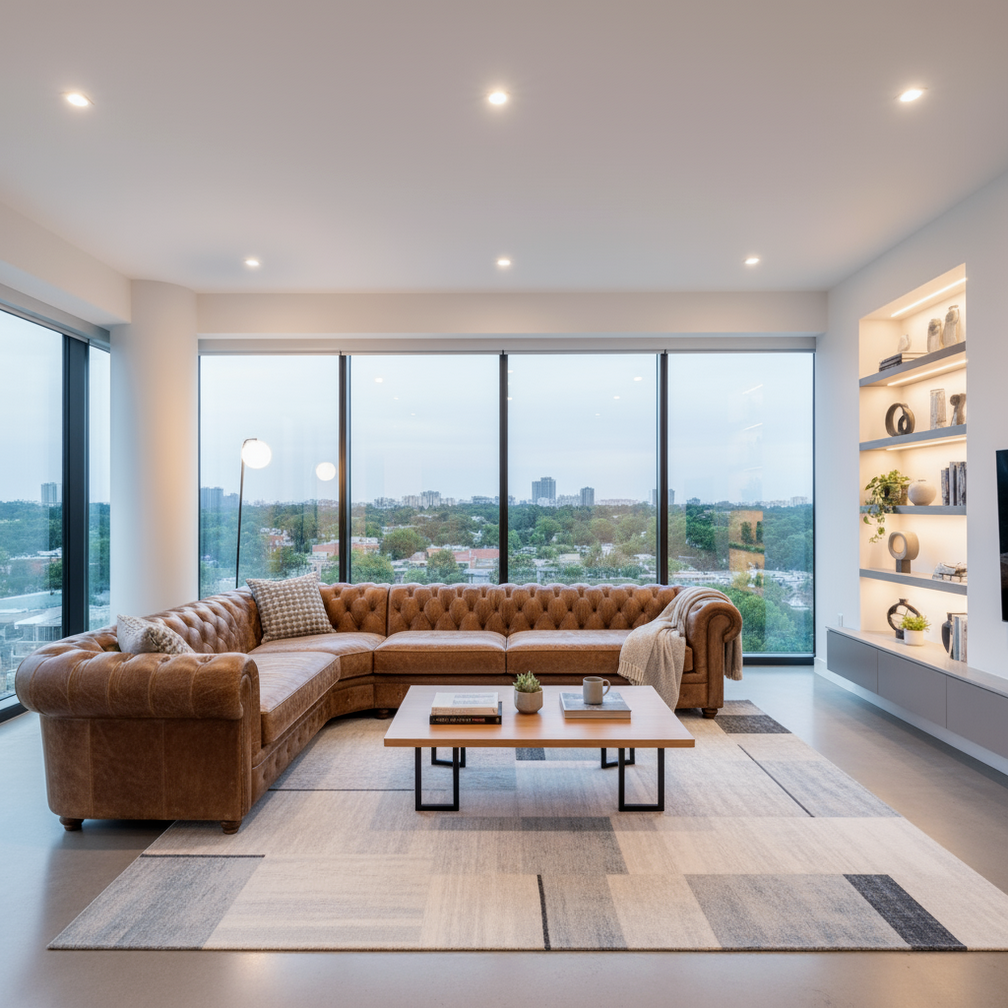
使用提供的客厅图片,将蓝色沙发更改为复古棕色真皮切斯特菲尔德沙发…
3. 风格迁移
提供一张图片,并让模型以不同的艺术风格重新创作其内容。
Transform the provided photograph of a modern city street at night into the artistic style of Vincent van Gogh’s ‘Starry Night’. Preserve the original composition of buildings and cars, but render all elements with swirling, impasto brushstrokes and a dramatic palette of deep blues and bright yellows.
输入:
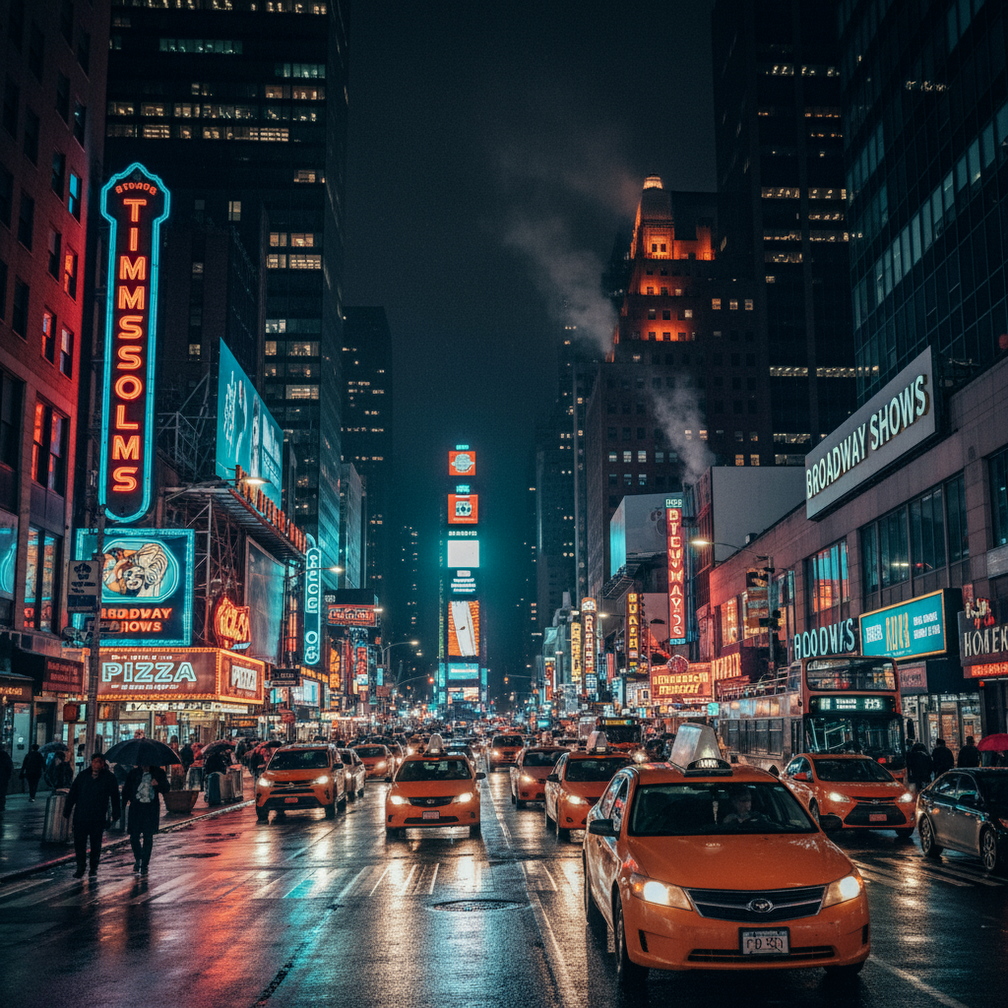
一张逼真的高分辨率照片,拍摄的是繁忙的城市街道…
输出:
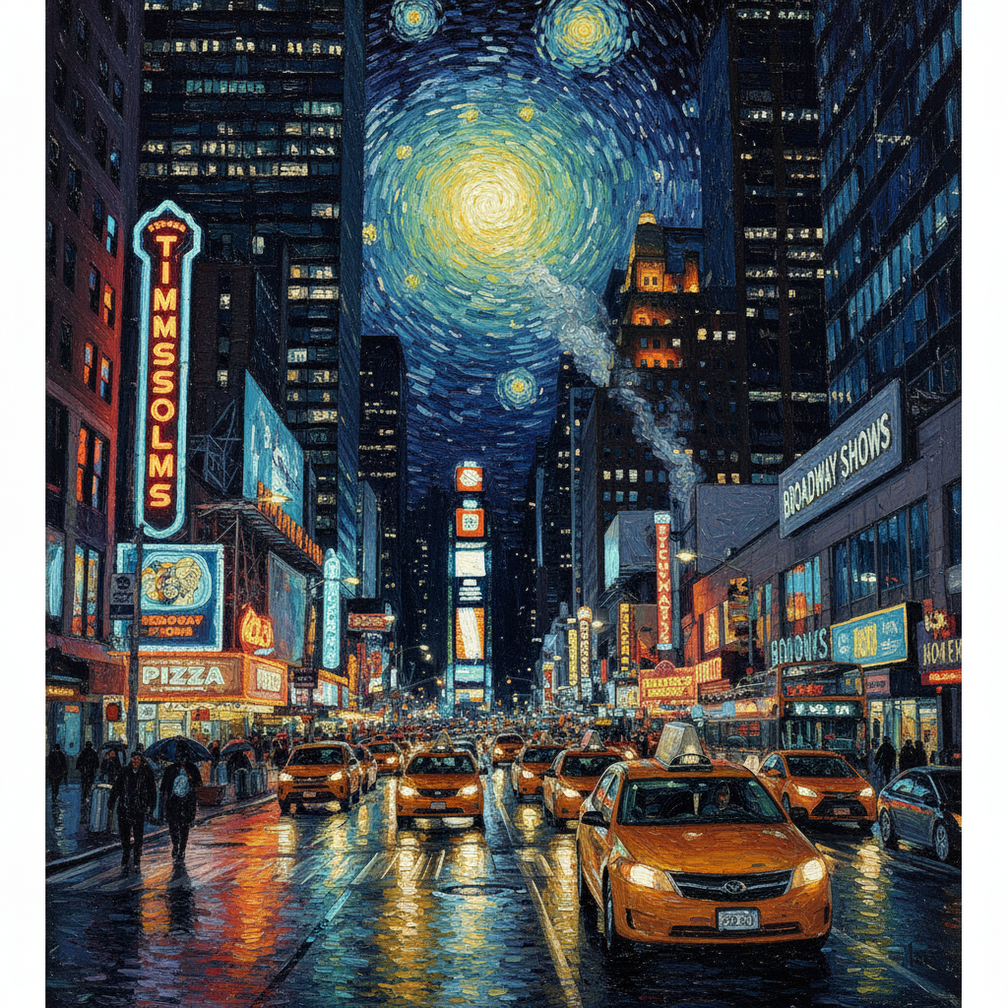
将提供的夜间现代城市街道照片改造成…
4. 高级合成:组合多张图片
提供多张图片作为上下文,以创建新的合成场景。这非常适合制作产品模型或创意拼贴画。
Create a professional e-commerce fashion photo. Take the blue floral dress from the first image and let the woman from the second image wear it. Generate a realistic, full-body shot of the woman wearing the dress, with the lighting and shadows adjusted to match the outdoor environment.
输入1:
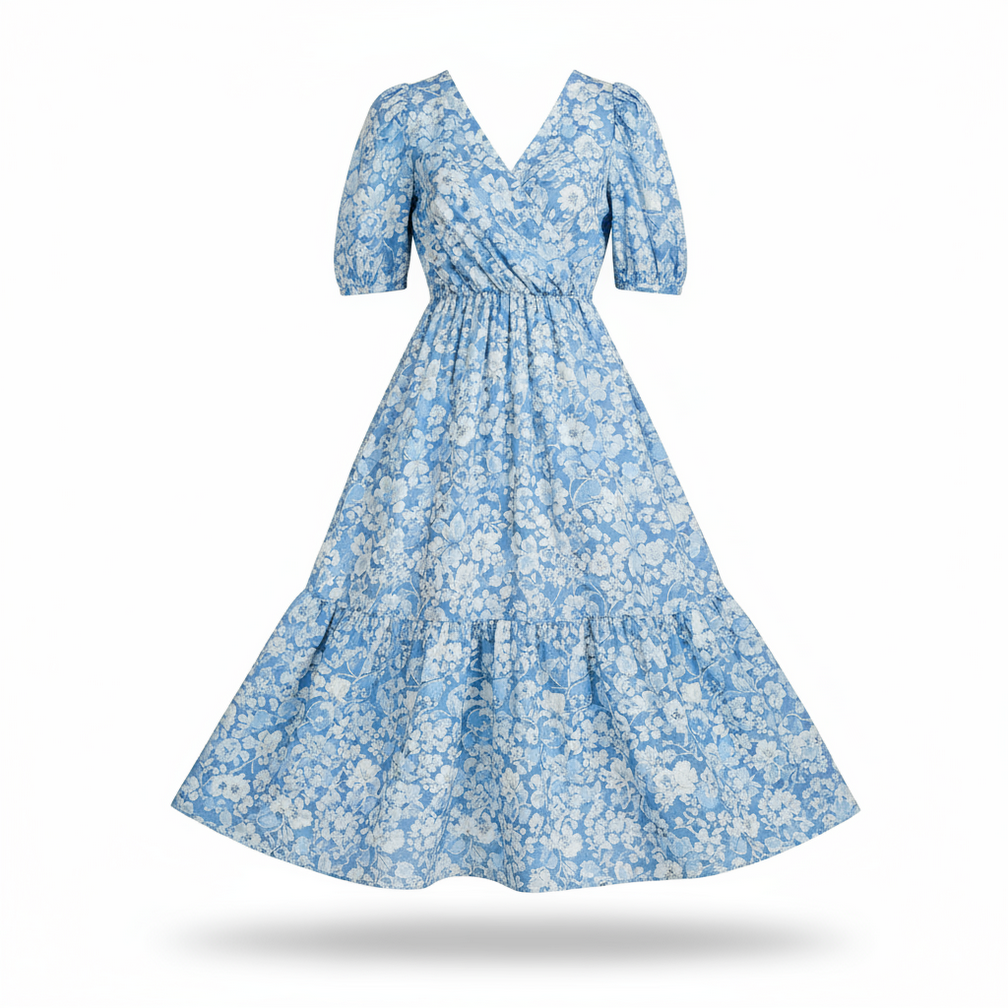
一张专业拍摄的照片,照片中是一件蓝色印花夏季连衣裙…
输入2:
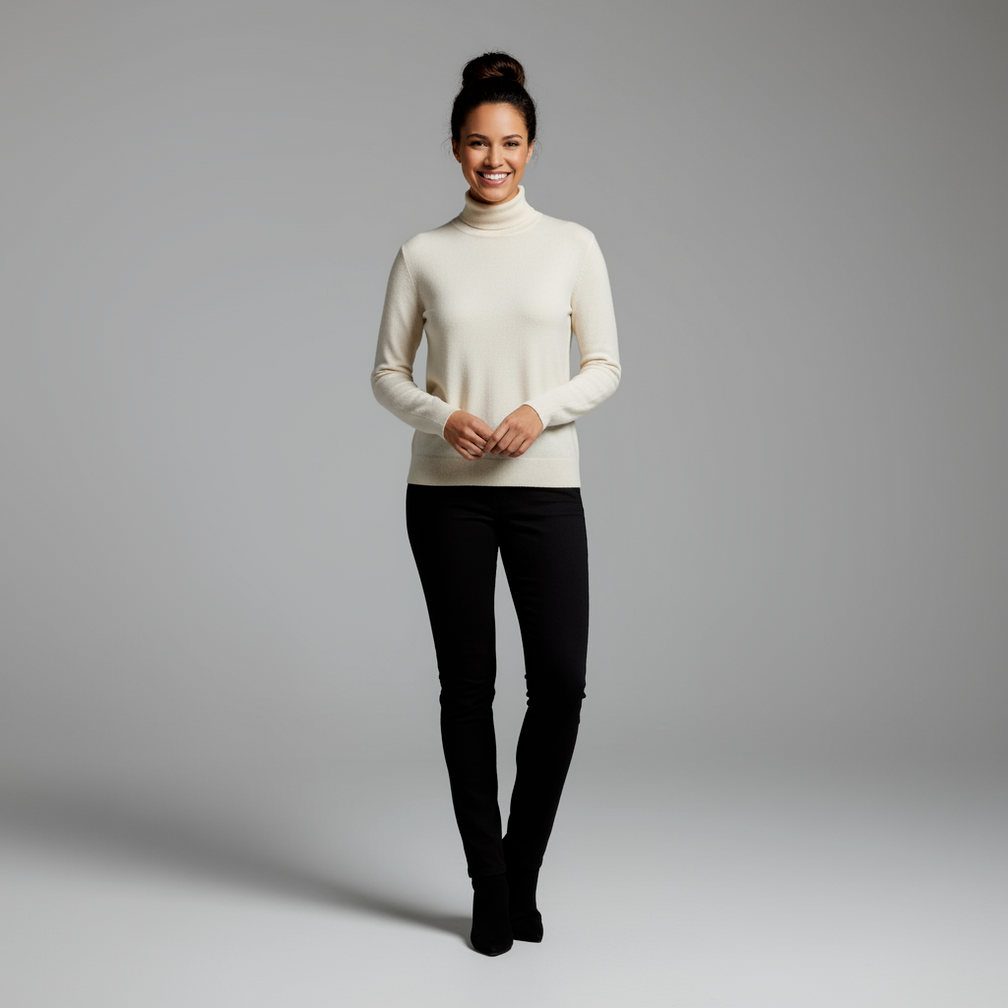
一位女性的全身照,她的头发盘成发髻…
输出:
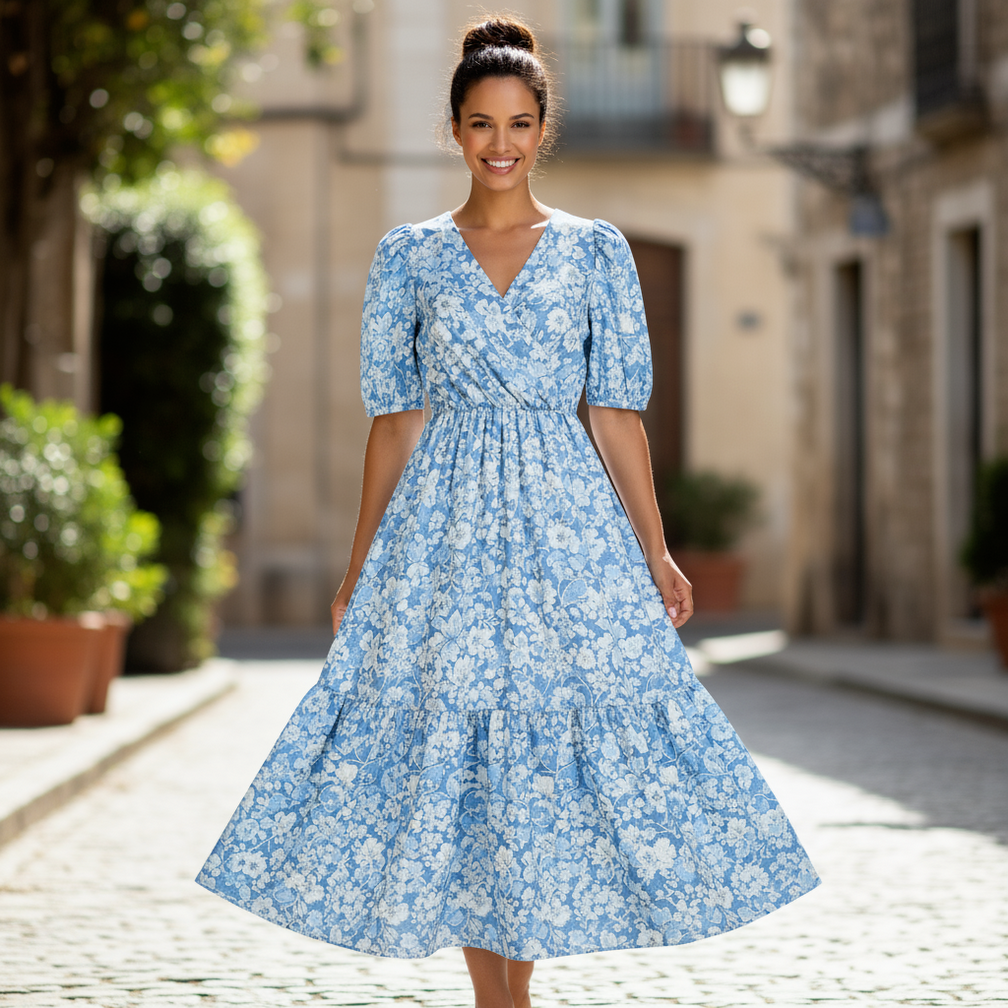
创建专业的电子商务时尚照片…
5. 高保真细节保留
为确保在编辑过程中保留关键细节(例如面部或徽标),请在编辑请求中详细描述这些细节。
Take the first image of the woman with brown hair, blue eyes, and a neutral expression. Add the logo from the second image onto her black t-shirt. Ensure the woman’s face and features remain completely unchanged. The logo should look like it’s naturally printed on the fabric, following the folds of the shirt.
输入1:

一张专业头像,一位留着棕色头发、有着蓝色眼睛的女性…
输入2:

一个包含字母“G”和“A”的简约现代徽标…
输出:
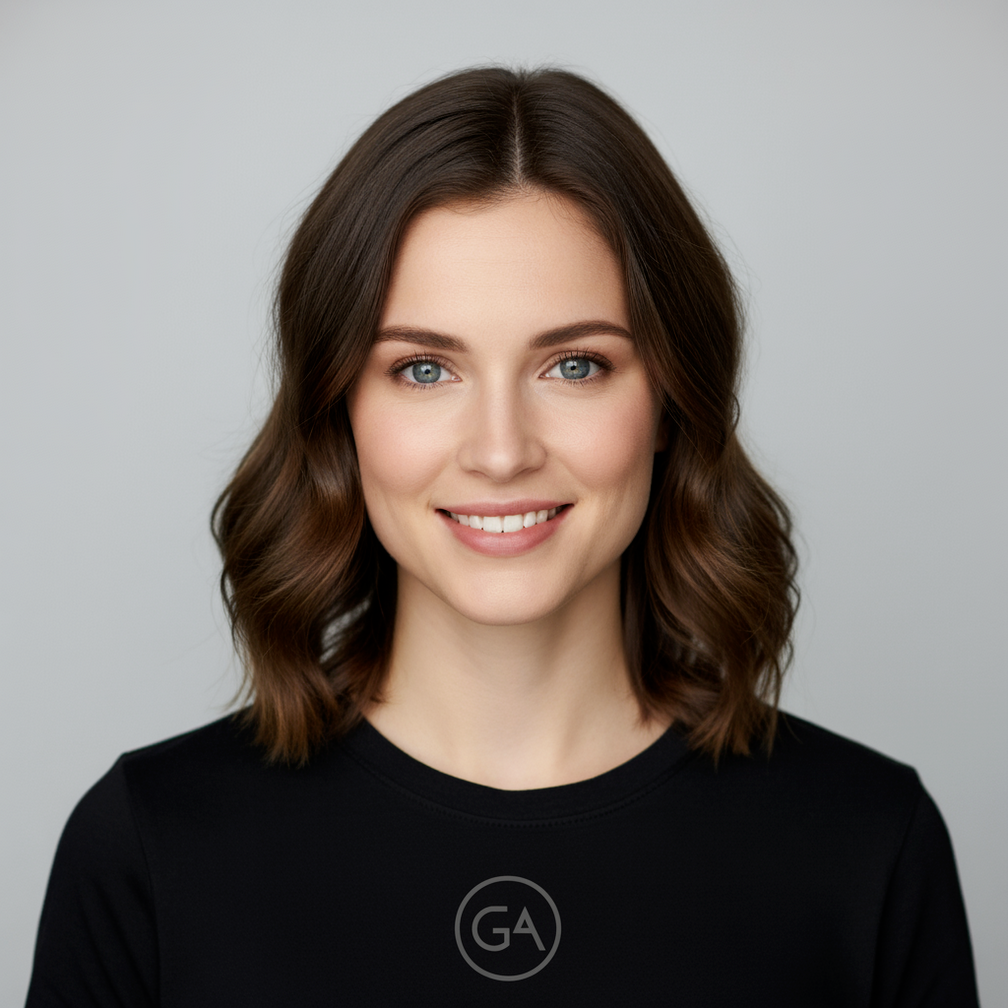
拍摄第一张照片,照片中的女子留着棕色头发,有着蓝色眼睛,面部表情平静…
最佳做法
如需将效果从“好”提升到“出色”,请将以下专业策略融入您的工作流程。
-
内容要非常具体: 您提供的信息越详细,您就越能掌控结果。不要使用“奇幻盔甲”,而是详细描述:“华丽的精灵板甲,蚀刻有银叶图案,带有高领和猎鹰翅膀形状的肩甲。”
-
提供背景信息和意图: 说明图片的用途。模型对上下文的理解会影响最终输出。例如,“为高端极简护肤品牌设计徽标”会比“设计徽标”产生更好的结果。
-
迭代和优化: 不要期望第一次尝试就能生成完美的图片。利用模型的对话特性进行小幅更改。然后,您可以继续提出提示,例如“效果很棒,但能让光线更暖一些吗?”或“保持所有内容不变,但让角色的表情更严肃一些。”
-
使用分步说明: 对于包含许多元素的复杂场景,请将提示拆分为多个步骤。“首先,创作一幅清晨薄雾笼罩的宁静森林背景。然后,在前景色中添加一个长满苔藓的古老石祭坛。 最后,在祭坛上放置一把发光的剑。”
-
使用“语义负提示”: 不要说“没有汽车”,而是积极地描述所需的场景:“一条空旷的荒凉街道,没有任何交通迹象。”
-
控制相机: 使用摄影和电影语言来控制构图。例如wide-angle shot、macro shot、low-angle perspective等字词。
经过对 Nano Banana 官方文档的全面翻译和解读,我们可以看到这款模型在图像生成领域的强大能力。从架构设计到艺术风格生成,再到如何高效集成应用,Nano Banana 为开发者和创作者提供了无尽的可能性。
无论是想提升创作效率,还是探索更多个性化的艺术风格,这项技术都能帮助你实现。希望通过这篇翻译,大家能够更好地理解和应用 Nano Banana,为自己的项目带来更多创新和灵感!
Related
Related posts
-
Cursor Agent 编程小小心得
2026-06-11
-
树莓派 OpenClaw Browser 看不见摸不着?给它配个 VNC 图形环境,踏实安心的Debug
2026-03-09
-
从使用者到创造者:用 AI 构建你的专属 VS Code 工具链
2026-02-27
-
大力出奇迹:使用 OpenCode 转完整个 Joda-Time,进程 Bun 内存飙到 21G
2026-01-17